For about $35, you can plug a USB dongle into your laptop and start listening to aircraft transponders. SDRs also pair well with a ham radio setup — if you’re just getting started with radio in general, see our best budget handheld ham radio guide as a starting point., decoding weather satellite images, monitoring repeater traffic, and pulling signals out of the air from 500 kHz to nearly 2 GHz. Software-defined radio removed the hardware barrier that used to require a rack of expensive, mode-specific gear. Now the question is not whether you can afford to get started — it is which receiver makes sense for what you want to do.
This guide breaks down three tiers of SDR hardware honestly: the RTL-SDR Blog V4 at $35, the Airspy HF+ Discovery around $169–$199, and the SDRplay RSPdx at roughly $200. We will cover the technical differences that actually matter — ADC bit depth, noise floor, dynamic range, and frequency coverage — and tell you exactly who should buy what.
What Is an SDR, Actually
A traditional radio contains dedicated analog hardware for each function: a tuner, an IF filter, a demodulator, an audio decoder. Change modes and you often need different hardware. A software-defined radio replaces most of that analog chain with a wideband receiver that digitizes the incoming RF signal as early in the chain as possible, then passes raw samples to software running on a PC. The software handles filtering, demodulation, decoding — everything.
The practical implications are significant. A single piece of hardware can receive AM, FM, SSB, CW, digital modes, ADS-B transponders, APRS packets, and satellite telemetry — often simultaneously, depending on bandwidth. The community around open-source SDR software is enormous. Updates are free. New decoders appear constantly. And because the signal processing happens in software, the same hardware that receives FM radio today can decode a new satellite protocol tomorrow after a software update.
That is the promise. The execution depends heavily on which hardware you choose.
The RTL-SDR Blog V4 ($35) — The Right Starting Point
View the RTL-SDR V4 on HamDeals
The RTL-SDR Blog V4 is built around the RTL2832U chip paired with an R828D tuner, with direct sampling mode enabled for partial HF coverage. It costs $35, works on Windows, Linux, and macOS, and has more community documentation behind it than any other SDR receiver in existence.
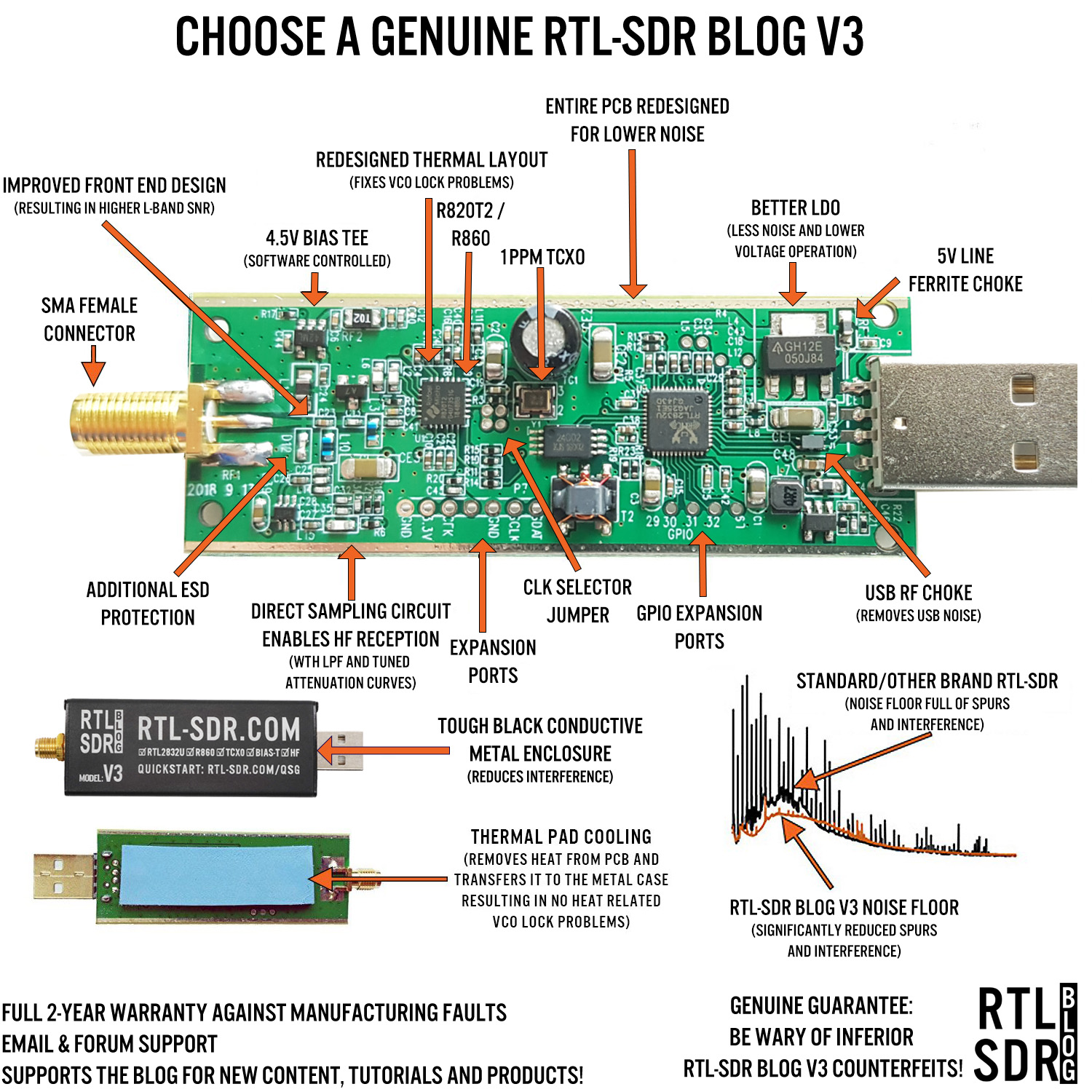
The V4 represents a meaningful improvement over the V3 that many tutorials still reference. The shielding is better, which reduces interference pickup from the USB bus and surrounding electronics. HF performance with direct sampling is improved. There is a built-in bias-T for powering active antennas and LNAs directly from the USB port. The connector is SMA rather than the MCX found on older clones, which is a small but real quality-of-life upgrade when you are building a proper antenna setup.
What the RTL-SDR V4 does well:
Frequency coverage runs from 500 kHz to 1.75 GHz. The stable sample rate is 2.4 MHz (it can be pushed to 3.2 MHz with some sample loss). For VHF and UHF work, it performs excellently. Common use cases where the V4 shines:
- ADS-B aircraft tracking — Run dump1090 or its derivatives and watch real-time aircraft positions overlay on a map. This is the single most popular RTL-SDR application and the V4 handles it flawlessly.
- NOAA weather satellites — The NOAA 15, 18, and 19 satellites broadcast APT image data on 137 MHz. Combine the V4 with a simple turnstile antenna and WXtoImg or SatDump and you are pulling actual cloud imagery from orbit.
- APRS — Decode 144.390 MHz (North America) packet traffic with Direwolf. See what stations and mobile units are active in your area.
- FM broadcast, scanner monitoring, ISS downlink — All trivially easy on the V4.
Software ecosystem:
SDR++ (cross-platform, free) is the best starting point for most users. SDR# (Windows) remains popular and has a large plugin library. GQRX works well on Linux and macOS. For ADS-B specifically, dump1090-mutability or the readsb fork are purpose-built and highly optimized.
Where the RTL-SDR V4 struggles:
The noise figure is approximately 8 dB — typical for this class of hardware, but not competitive with dedicated receivers. The ADC is 8-bit, which limits dynamic range. In practice, this means a strong local FM broadcast station can desense the receiver when you are trying to work weaker signals nearby. A bandpass filter helps considerably for HF work.
Below 30 MHz, the V4 with direct sampling enabled can hear shortwave broadcast stations, and some ham bands are accessible. But you are working against the hardware’s limitations. Weak signal HF work — chasing DX on 40m or 20m, pulling in distant AM stations late at night — is where the RTL-SDR leaves real signals on the table.
When to Upgrade: The RTL’s Limitations
The RTL-SDR V4 is the right first purchase for nearly everyone. But there are specific situations where its limitations become genuinely frustrating rather than just academic.
HF coverage is marginal. Direct sampling gets you into the HF bands, but signals that a dedicated HF receiver would decode clearly may be buried in noise on the RTL. The 8-bit ADC means the dynamic range is limited — roughly 48 dB theoretical. When you have a mix of strong and weak signals in the same band, the strong ones compress the weaker ones.
Dynamic range affects real-world performance. If you live near an FM broadcast tower, you may experience interference on unrelated frequencies. Good filtering helps, but you are working around a hardware limitation.
The noise floor. The RTL-SDR’s noise floor is adequate for strong local signals and anything in the VHF/UHF range with a reasonable antenna. For long-distance HF reception where signals are genuinely weak, a lower noise floor translates directly into signals you can copy versus signals you cannot.
If your primary interest is HF — shortwave listening, monitoring the amateur HF bands, MW DX — you will eventually want something better.
Airspy HF+ Discovery (~$169–$199) — The HF Specialist
The Airspy HF+ Discovery is built for one job: exceptional HF and VHF reception up to 260 MHz. It does that job better than anything else in its price class.
The critical specification is the 18-bit ADC. That is the differentiator. More ADC bits means more dynamic range — the receiver can handle a wider spread between the strongest and weakest signals in the band simultaneously. In practical terms, signals that are 20–30 dB below the RTL-SDR’s noise floor are clearly audible on the Airspy HF+ Discovery. That is not a marginal improvement; it is the difference between hearing a distant shortwave broadcaster and not hearing them at all.
The frequency coverage runs from 0.5 kHz through 31 MHz for HF, plus 60–260 MHz for VHF. The HF coverage is continuous and genuine — not the compromised direct-sampling approach of the RTL. The noise floor is dramatically lower, and the front-end design handles strong adjacent signals much better than the RTL.
Who the Airspy HF+ Discovery is for:
- Shortwave listeners who want to explore international broadcasts, utility stations, and numbers stations
- Amateur operators who want to monitor HF bands (40m, 20m, 15m, 10m) before and during operating sessions
- MW DX enthusiasts chasing distant AM broadcast stations at night
- Anyone frustrated by the RTL-SDR’s HF performance
The best software pairing is SDR# on Windows, where Airspy’s own development has produced the most polished integration. SDR++ works well cross-platform.
The important caveat:
The Airspy HF+ Discovery covers nothing above 260 MHz. No 70cm amateur band. No ADS-B at 1090 MHz. No NOAA satellites at 137 MHz (which falls within its VHF coverage range, actually — but the 1090 MHz ADS-B and 433 MHz ISS frequencies do not). If you want VHF/UHF coverage alongside your HF capability, you pair the Airspy HF+ Discovery with an RTL-SDR V4. Many serious listeners run exactly this combination: the Airspy HF+ handles everything HF, the RTL handles VHF and above.
SDRplay RSPdx (~$200) — The Full-Coverage Option
The SDRplay RSPdx makes a different argument than the Airspy: continuous coverage from 1 kHz all the way to 2 GHz in a single device, with no gap between HF and VHF.
The specs support that ambition. A 14-bit ADC (12-bit effective in practice) improves on the RTL’s 8-bit significantly, though it does not match the Airspy HF+ Discovery’s 18-bit for weak-signal HF work. The instantaneous bandwidth of 10 MHz is a real advantage — you can see and record a much wider slice of spectrum simultaneously. Frequency coverage is genuinely continuous; there is no mode-switching or coverage gap between HF and VHF.
The appeal of one device:
For someone who does not want to manage two receivers and two software instances, the RSPdx is compelling. You can be monitoring 40m SSB and simultaneously watch for VHF packet traffic, all in one software window. The 10 MHz bandwidth means you can visualize an entire amateur band at once.
SDRplay’s own software, SDRuno, is free for Windows and is a capable application with a somewhat steeper learning curve than SDR++. It integrates tightly with the RSPdx hardware. For Linux and macOS users, SDRuno is not an option — you will need the SDR++ plugin for the RSP series, which works well but is a different experience.
The honest comparison to Airspy HF+ Discovery:
If your primary interest is HF reception — weak signals, DX, shortwave — the Airspy HF+ Discovery’s 18-bit ADC will outperform the RSPdx on HF in most comparisons. The RSPdx is better if you genuinely need the full frequency range in one box and want good-but-not-exceptional HF performance alongside solid VHF/UHF coverage.
Side-by-Side Comparison
| RTL-SDR Blog V4 | Airspy HF+ Discovery | SDRplay RSPdx | |
|---|---|---|---|
| Price | ~$35 | ~$169–199 | ~$200 |
| Frequency coverage | 500 kHz – 1.75 GHz | 0.5 kHz – 31 MHz / 60 – 260 MHz | 1 kHz – 2 GHz |
| ADC bits | 8-bit | 18-bit | 14-bit (12-bit effective) |
| HF capable | Marginal (direct sampling) | Excellent | Good |
| VHF/UHF | Yes | VHF only (up to 260 MHz) | Yes |
| Instantaneous bandwidth | 2.4 MHz (stable) | ~660 kHz | 10 MHz |
| Best software | SDR++, SDR#, GQRX | SDR# (Windows), SDR++ | SDRuno (Windows), SDR++ |
| Best use case | Beginners, ADS-B, satellites, VHF/UHF scanning | HF/shortwave listening, MW DX, HF ham bands | Full-spectrum monitoring, single-device convenience |
What to Buy Based on Your Situation
Complete beginner, not sure what you want to do yet — Buy the RTL-SDR V4. At $35, the cost of being wrong is low. The ecosystem is enormous, documentation is everywhere, and it will show you whether SDR is something you want to invest more in. Most people who get deep into SDR still keep an RTL-SDR running for ADS-B or satellite work even after buying better hardware.
You want to explore HF — shortwave, ham bands below 30 MHz, MW DX — Buy the Airspy HF+ Discovery. The 18-bit ADC is a genuine capability jump for HF work, not marketing. If you already have an RTL-SDR V4, pair them: Airspy HF+ for everything below 31 MHz, RTL for VHF and above.
You want a single device that covers everything from HF through UHF — The SDRplay RSPdx is the right answer. You will not get Airspy-level HF sensitivity, but you will get very solid performance across the full spectrum without managing two receivers. The 10 MHz bandwidth and continuous coverage are genuinely useful.
You already have an RTL-SDR and want to upgrade your HF performance specifically — Airspy HF+ Discovery. It plugs the exact gap the RTL leaves, and you already have VHF/UHF covered.
Software to Install First
Before you do anything else, download SDR++. It is free, open-source, and runs on Windows, Linux, and macOS. It supports all three hardware options discussed here. The interface is clean and the performance is good. Start here regardless of which hardware you buy.
Windows users may also want SDR#, which has a large plugin library and is the preferred pairing for the Airspy HF+ Discovery. SDRuno is worth installing if you go the RSPdx route on Windows — it is purpose-built for the RSP hardware series and offers some features SDR++ does not.
For ADS-B specifically, dump1090 (or the readsb fork, or tar1090 for a web interface) is the purpose-built tool. It runs separately from SDR++ and is more efficient for dedicated aircraft tracking.
A Quick Note on What SDR Is Not
Two pieces of hardware come up frequently in the same conversations as SDR dongles, and they are worth distinguishing clearly.
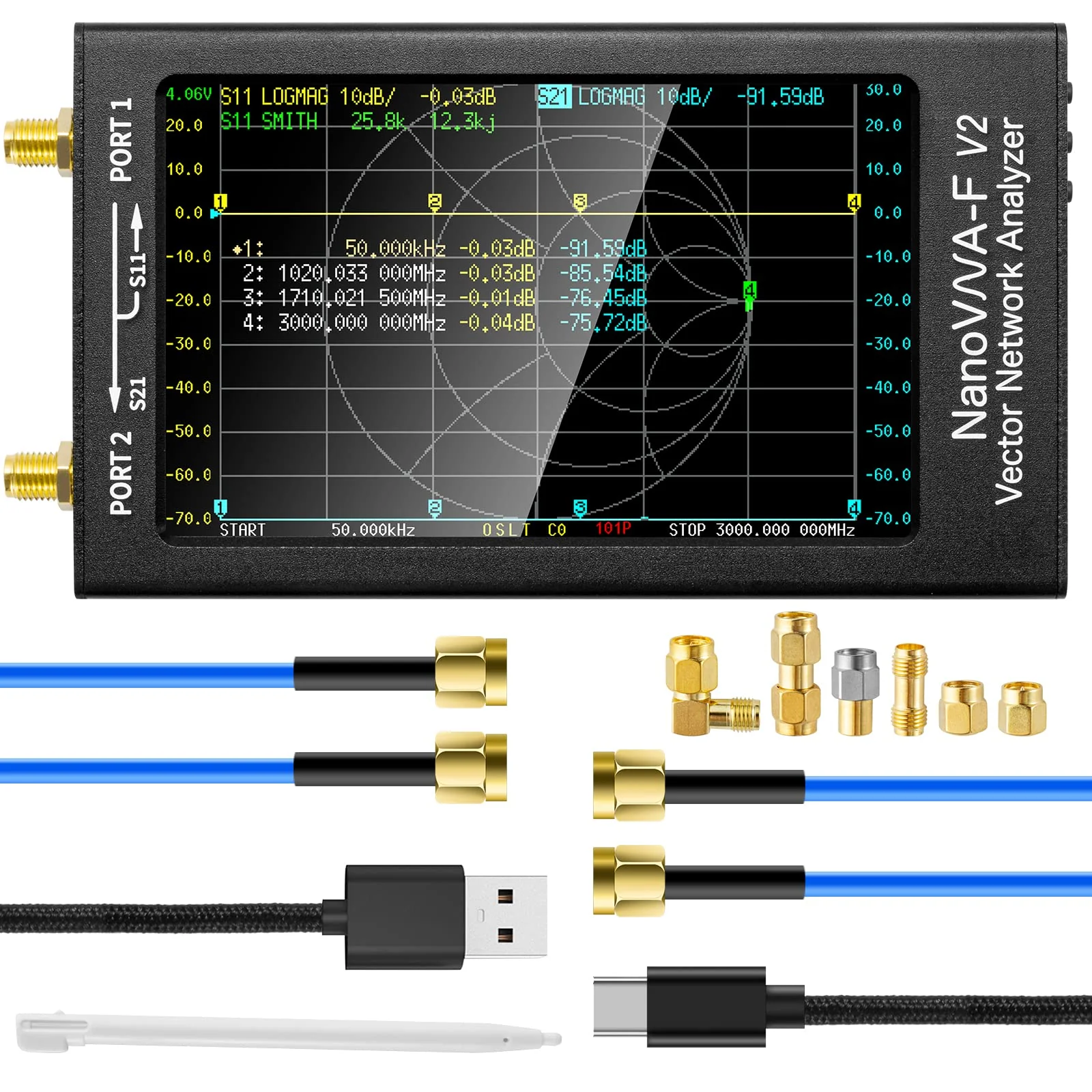
The NanoVNA-F V2 is a vector network analyzer. It does not receive radio signals for listening or decoding. It measures impedance, SWR, and the RF characteristics of antennas and transmission lines. It is an essential antenna-building tool and complements an SDR setup nicely — but it does not do what an SDR does. If you are building and tuning antennas, you want one. It will not let you listen to aircraft.
The TinySA Ultra is a spectrum analyzer. It shows signal strength across a frequency range, which is useful for identifying interference sources and understanding what is active in a band. It does not demodulate or decode signals — you cannot listen to audio through it. Again, a useful instrument for the well-equipped ham shack, but a different tool entirely.
Frequently Asked Questions: SDR Dongles
What is the best SDR dongle for a complete beginner?
The RTL-SDR Blog V4 ($35) is the right starting point for most beginners. It works with free software (SDR++, SDR#, GQRX), covers 500 kHz to 1.75 GHz, and has the largest support community of any SDR dongle — meaning tutorials and troubleshooting help are easy to find. Airspy and SDRplay devices offer meaningfully better dynamic range and sensitivity, but the performance gap only matters once you have a specific use case that demands it.
What can you do with an RTL-SDR dongle?
Common RTL-SDR applications include: tracking aircraft with ADS-B (dump1090 software), receiving NOAA weather satellite images (WXtoImg, SatDump), monitoring APRS packet radio traffic (Direwolf), listening to FM radio and local repeaters, receiving weather balloon telemetry (radiosonde_auto_rx), and scanning trunked radio systems (Unitrunker, trunk-recorder). The V4 adds improved HF reception via direct sampling compared to older versions.
Is the Airspy HF+ Discovery worth the extra cost over an RTL-SDR?
Yes, if your primary interest is HF shortwave listening, AM broadcast, or amateur HF bands. The Airspy HF+ Discovery’s 18-bit ADC produces dramatically cleaner reception on crowded HF bands — weak signals buried in noise on an RTL-SDR become fully readable. For VHF and UHF scanning only, the performance difference is much smaller and the RTL-SDR V4 is the more practical choice.
What software do I need for an SDR dongle?
The most popular free options are: SDR++ (cross-platform, works with all three hardware brands), SDR# (Windows-only, best with Airspy), and GQRX (Linux/Mac). SDRplay includes SDRuno (Windows-only). For ADS-B specifically, dump1090 or the readsb fork are purpose-built and more efficient than a general SDR application. All of these are free downloads.
What is the difference between the RTL-SDR V3 and V4?
The RTL-SDR Blog V4 replaces the V3 as the current recommended model. Key improvements: a new Rafael Micro R828D tuner chip, better frequency stability from an improved TCXO oscillator, redesigned direct sampling mode for improved HF performance, better shielding to reduce interference, and an SMA antenna connector instead of MCX. If you already own a V3 it is not worth upgrading, but the V4 is the version to buy for new purchases.
Stay Current on SDR Hardware Deals
SDR hardware prices move around, and new stock, bundle deals, and price drops on these units appear regularly. Subscribe to HamDeals deal alerts to get notified when the RTL-SDR V4, Airspy HF+ Discovery, SDRplay RSPdx, or other SDR hardware drops in price. We track pricing across major retailers and post alerts when something worth buying goes on sale. For a data-driven breakdown of which categories actually see meaningful discounts on Prime Day and Black Friday, see our 2-year Keepa price analysis.
If you are just getting started, the RTL-SDR V4 is the move. Plug it in, install SDR++, point a wire out the window, and you will be pulling signals out of the air inside an hour.